My Keyboard - Photo themes
Publisher Description
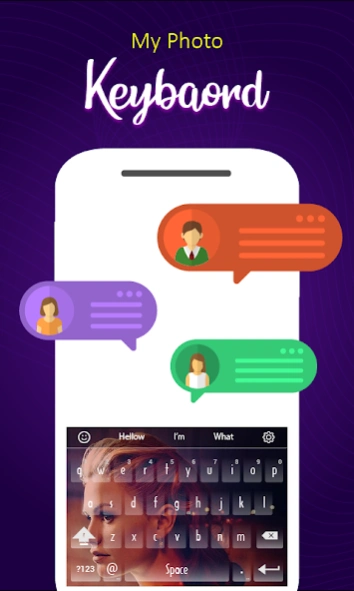


Set custom Picture keyboard background with Keyboard background theme app.
“My Keyboard - Photo themes“ Customize keyboard to set up your own image as a photo keyboard wallpaper. Collections of beautiful custom foto keyboard and droid photo keyboard with my photo keypad and fonts. My photo emoji keyboard with font style, background wallpaper and transparent photo keyboad theme. you can customize keyboard themes to personalize my photo keyboard new designs.
Fast Typing App
Keypad themes for android with amazing keyboard backgrounds and fast reflex mobile typing app. Latest and stylish multi- language support helps in fast typing with hd wallpapers & hd backgrounds template.
Fancy Keyboard and Fonts
My photo keyboard custom launcher provides autoswitch keyboard font text style and fancy key. You can customize your keyboard and can converts it into fancy board.
Supports Different Languages
Cool keyboard supports multiple languages. My photo keyboard new allows you to write & type sms in multiple languages. You can easily compose text message and e-mails in different languages. Quick keyboard also suggests new keyword and auto correct keyboard features.
Keyboard Themes with Emojis
Foto keypad typing app is a gift keyboard app. Emoji keyboard includes cute gif, face emoji, swift emoji.It supports different Symbols and Fonts. Stylish fonts and fancy key makes it real fancy style keyboard.
Quick Settings
Beside picture keyboard it allows settings. You can easily customize landscape and portrait Keyboard background separately.
Amazing Features
• Auto Correct keyboard
• Customizable free android app
• Keyboards latest and stylish fancy key
• Quick Keyboard and Fast Reflex typing apps
• Customized keyboard themes & Attractive design
• Emojis, Stickers , Gif with fancy and stylish writing fonts
•Hd Background Wallpapers keyboard transparent images
Feedback
If you like the app, rate us 5 ★★★★★ and share the love💕 in reviews.
If found any problem, inform us via email "technieappsfree@gmail.com".
Thanks for your support
About My Keyboard - Photo themes
The company that develops My Keyboard - Photo themes is Vector Plus. The latest version released by its developer is 1.0 .
To install My Keyboard - Photo themes on your Android device, just click the green Continue To App button above to start the installation process. The app is listed on our website since 2026-03-27 and was downloaded 7 times. We have already checked if the download link is safe, however for your own protection we recommend that you scan the downloaded app with your antivirus. Your antivirus may detect the My Keyboard - Photo themes as malware as malware if the download link to com.glowapps.photo.on.keyboard.offline.keyboard.themes is broken.
How to install My Keyboard - Photo themes on your Android device:
- Click on the Continue To App button on our website. This will redirect you to Google Play.
- Once the My Keyboard - Photo themes is shown in the Google Play listing of your Android device, you can start its download and installation. Tap on the Install button located below the search bar and to the right of the app icon.
- A pop-up window with the permissions required by My Keyboard - Photo themes will be shown. Click on Accept to continue the process.
- My Keyboard - Photo themes will be downloaded onto your device, displaying a progress. Once the download completes, the installation will start and you'll get a notification after the installation is finished.
